
12 Practical React Projects for Beginners (with Source Code)
The fastest way to learn React is by building projects that solve real problems. We share 12 beginner-friendly projects—with source code.
The best first React project is small, useful, and focused on the basics: components, state, and events. Start with one of the easy projects below: a to-do list, ASCII converter, score keeper, or quiz app. The Wordle clone, QR code generator, and markdown previewer are a good next step: still labelled Easy, but with more moving parts.
What you need before you start:
- Basic HTML, CSS, and JavaScript (Mimo’s JavaScript course covers the fundamentals)
- To build the browser-based projects yourself: Node.js and npm, and a new React project set up with Vite (see how to install React). The Mimo projects run inside Mimo’s platform instead.
- React basics like components, props, and state, which Mimo’s Learn React course teaches step by step
The 12 projects:
- To-do List App
- ASCII Converter
- Score Keeper
- Quiz App
- Wordle Clone
- QR Code Generator & Scanner
- Markdown Previewer
- Pokédex App
- Habit Streak Rewards
- Cross-Platform Calculator
- Kanban Board
- Rail Journey Tracker
Each project has a Level label from Easy to Medium-Hard. Most link to source code on GitHub with a Repo status note on how current the code is, while the score keeper, Wordle clone, and Pokédex are Mimo projects available inside Mimo’s platform. The QR code generator has no linked source, so you build it yourself.
A note on older repos: The to-do list, ASCII converter, quiz app, markdown previewer, and Kanban board repos use Create React App, some on React 16 or 17. The React team deprecated Create React App for new apps on February 14, 2025, and now recommends starting with a framework or a build tool such as Vite. For your own version, start a new Vite project and use the repo as a reference instead of upgrading the old code.
1. To-do list app
- Level: Easy
This to-do list is a perfect React project for anyone who’s just getting started. The app teaches fundamental React concepts through a practical tool you can use every day.
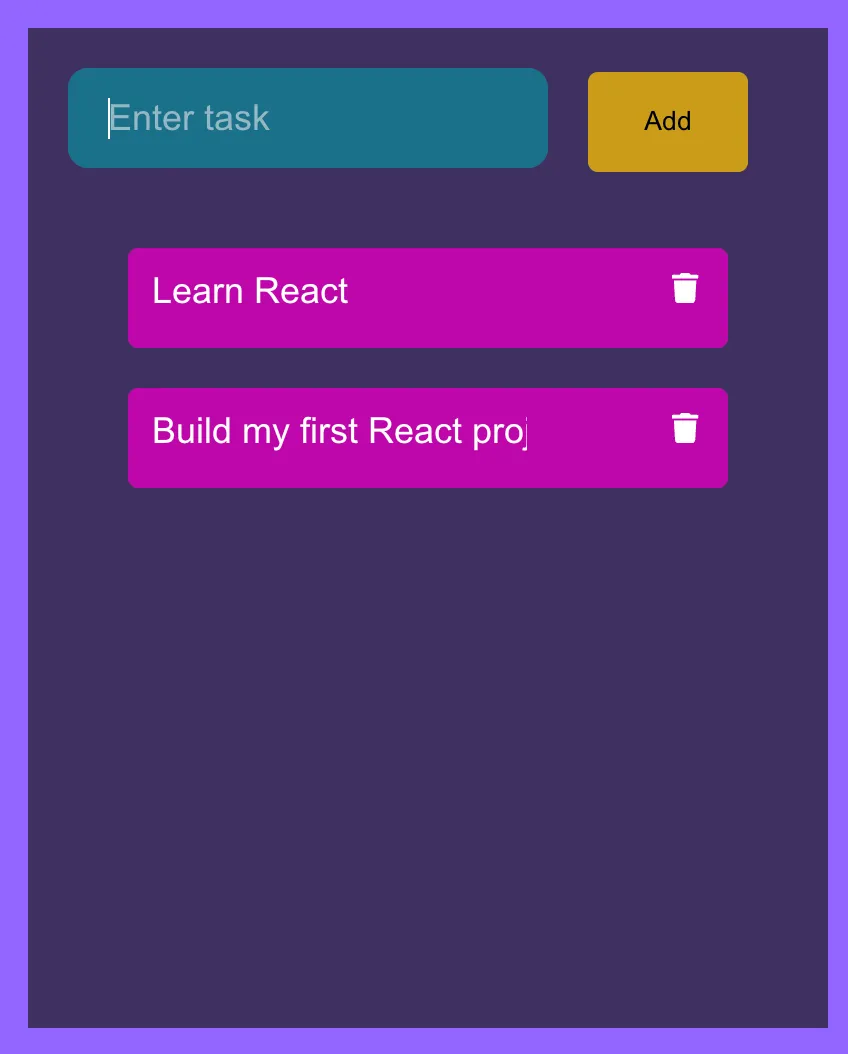
If you’re just starting out, you’ll learn the basics of component structure and state. If you already know some React, add extra features and split the UI into reusable components (see how to create components in React).
Source code:
Repo status: React 16 with Create React App, last commit June 2019 (see the note on older repos above).
What you’ll build:
- A clean, functional to-do list interface
- Input form for adding new tasks
- Task items with complete/delete functionality
- Optional extension: save tasks with local storage
- Simple and intuitive UI with Font Awesome icons
For a quick visual upgrade, try Bootstrap for basic layout styling.
Prerequisites & tech stack:
- Basic HTML, CSS, and JavaScript knowledge
- Node.js and npm installed on your computer
- React fundamentals (components, props, state)
- Font Awesome for icons
- React forms and event handlers (see how to create a form in React)
2. ASCII converter
- Level: Easy
This ASCII Converter is a simple but practical React app for beginners. It lets you press a key and instantly see its name and numeric key code. The code comes from the deprecated KeyboardEvent.keyCode property, which equals the ASCII (American Standard Code for Information Interchange) code for digits and uppercase letters, but not for every key.
Tip: In your own version, use event.key (the character for printable keys), check that it is one character long, and read its code with charCodeAt(). Named keys like Enter or ArrowLeft have no single character code.
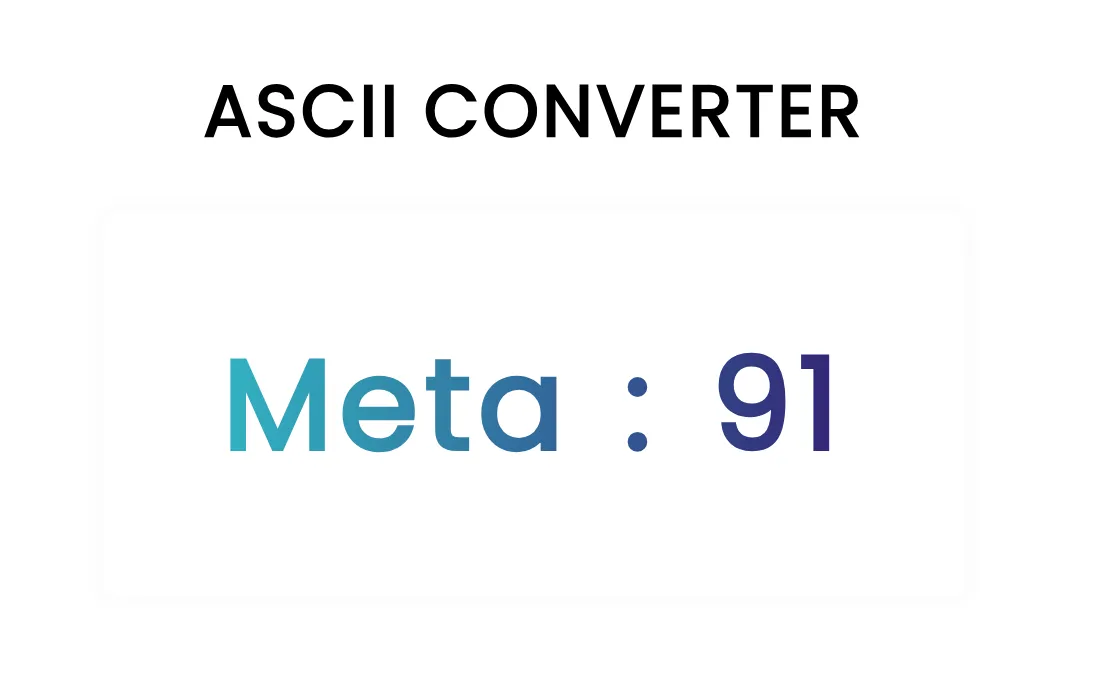
The repo was created so newcomers could make their first open-source contribution during Hacktoberfest, and it invites contributions. That makes it a place to practice the fork and pull request workflow.
Source code:
Repo status: React 18 with Create React App, last commit October 2022 (see the note on older repos above).
What you’ll build:
- A clean interface that displays key names and key codes
- Real-time key event handling
- Visual feedback when keys are pressed
- Basic React components structure
- Simple state management
Prerequisites & tech stack:
- Basic knowledge of HTML, CSS, and JavaScript
- Understanding of React components and state
- Familiarity with event handling in React
- Node.js and npm for running the project
3. Score keeper
- Level: Easy
The Score Keeper is a simple React app that helps you understand state management fundamentals. This project from Mimo teaches you to build a simple score tracking app for two teams.
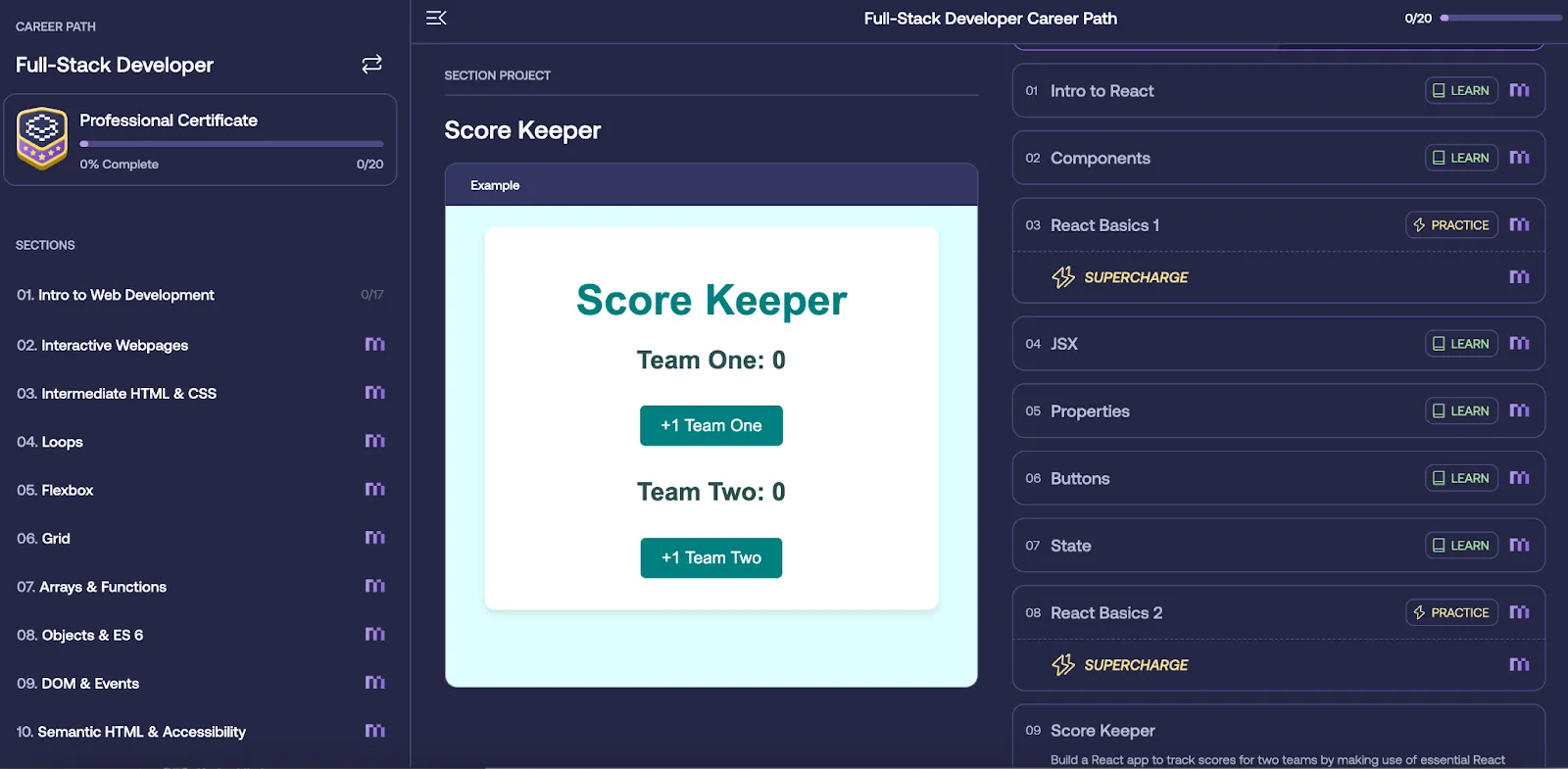
You’ll create an interface with buttons that update team scores, putting React’s state concepts into practice with immediate visual feedback.
Source code:
This project is part of Mimo’s Full-Stack Career Path — available within Mimo’s platform. Start for free today!
What you’ll build:
- A simple interface that displays scores for two teams
- Buttons to increment scores for each team
- State management to track and update score values
- Basic styling for a clean, user-friendly interface
- Responsive design that works on all devices
Prerequisites & tech stack:
- Access to Mimo’s platform (you can start for free)
4. Quiz app
- Level: Easy
This project lets you build a quiz app in React. The linked repo is built from a Figma UI template (“Quiz Application UI” on Uplabs), and you create an interactive quiz that tracks user progress and displays results.
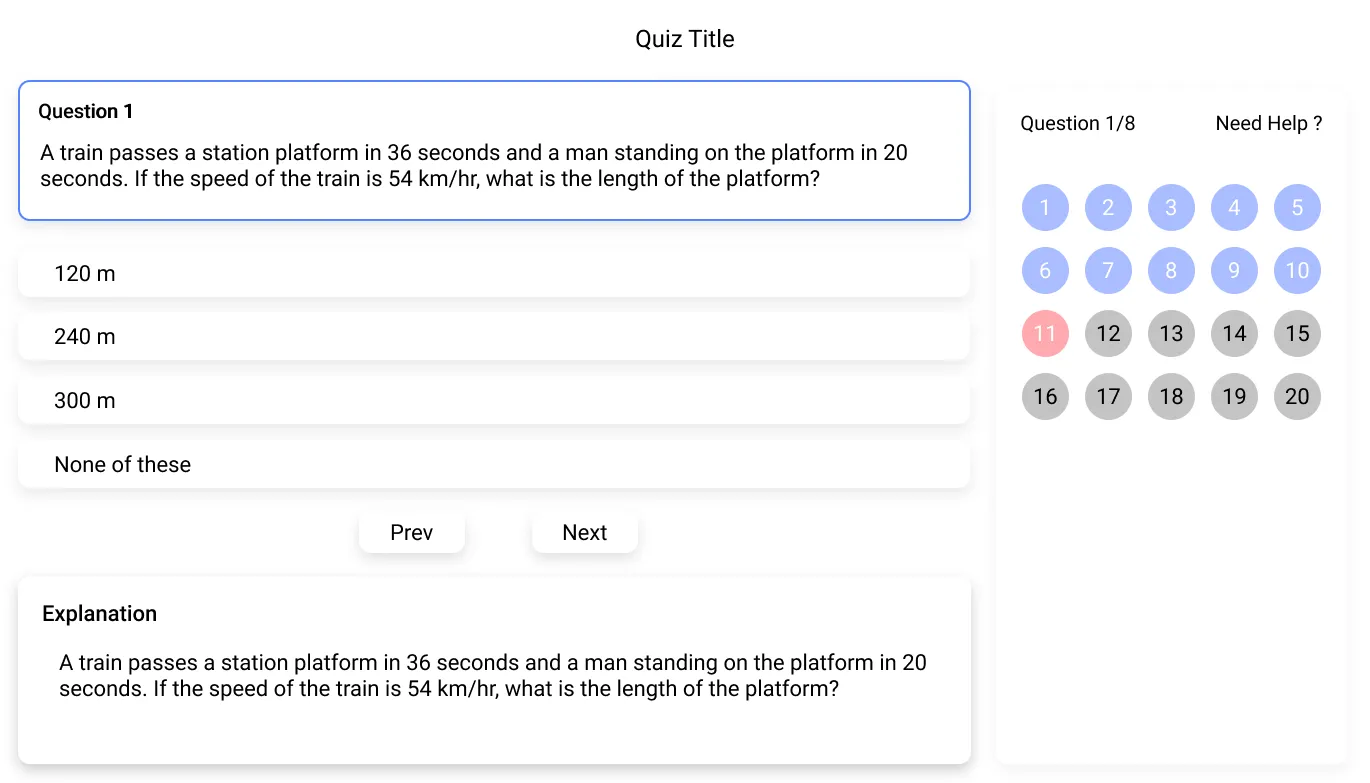
Perfect for beginners, this project helps you practice React components, state management, and conditional rendering. You can also add multiple pages with React Router for questions, results, and score summaries.
Source code:
Repo status: React 16, React Router 5, and Create React App, last commit July 2020 (see the note on older repos above).
What you’ll build:
- Question and answer interface
- Score tracking system
- Progress indicators
- Results summary view
- Responsive design
Prerequisites & tech stack:
- React basics, including how to pass props in React
- Handling answer clicks (see how to handle onClick in React)
- JavaScript fundamentals
- HTML and CSS knowledge
5. Wordle game clone
- Level: Easy
This Mimo project teaches you to recreate the popular word-guessing game Wordle in React. You’ll build the core game logic and mechanics step-by-step, learning essential React concepts along the way.
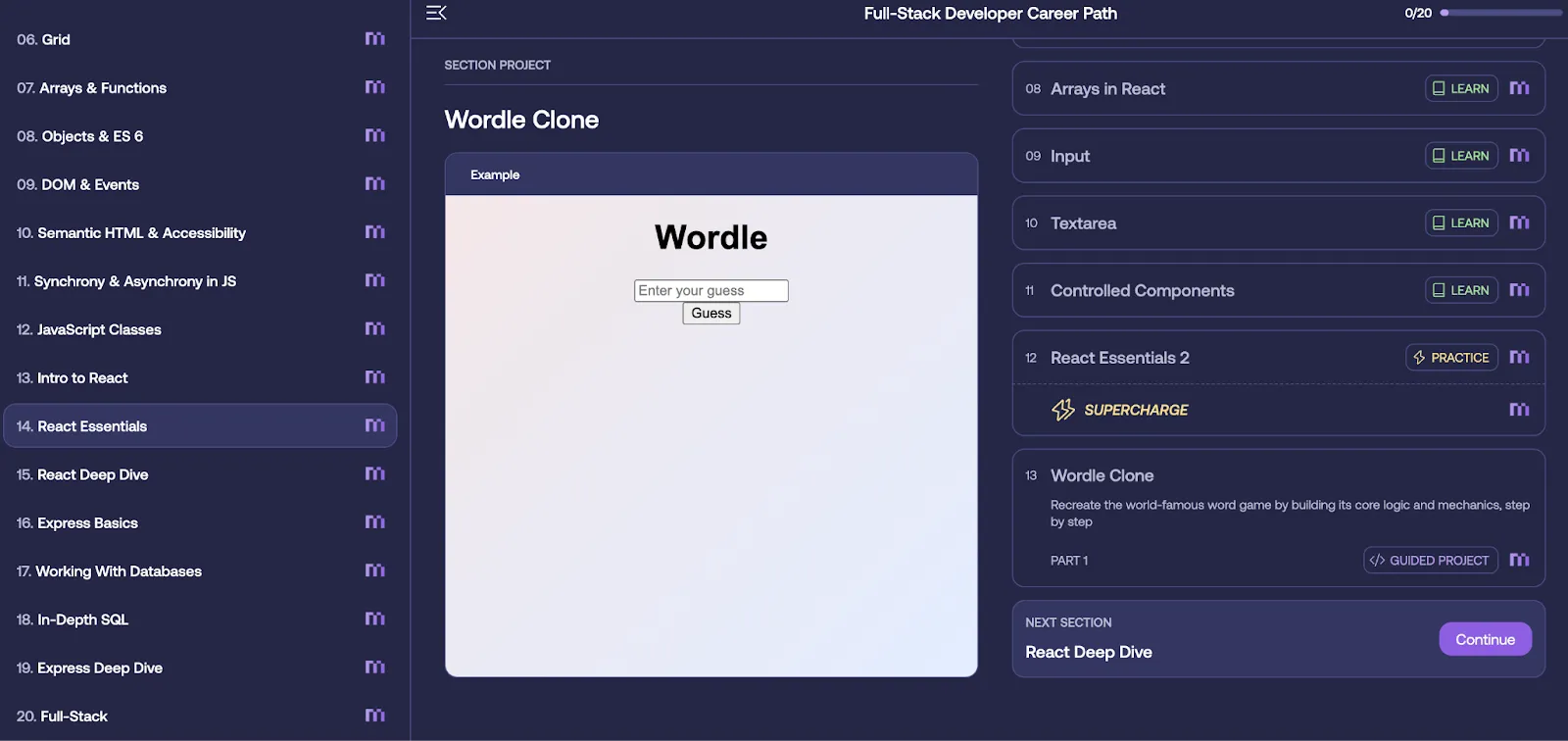
The project focuses on implementing controlled components, state management, and conditional rendering as you create an interactive game. It’s a great ReactJS project for testing logical thinking and app structure.
Source code:
This project is part of Mimo’s Full-Stack Career Path — available within Mimo’s platform.
What you’ll build:
- Word guessing game interface
- Input handling for player guesses
- Game state management for tracking guesses
- Letter validation with color-coded feedback
- Win/loss detection logic
Prerequisites & tech stack:
- Access to the Mimo platform
6. QR code generator & scanner
- Level: Easy
The QR code generator project shows you how to build a React app that both generates and scans QR codes. You’ll create a multi-page application with Material UI components for a polished, professional look.
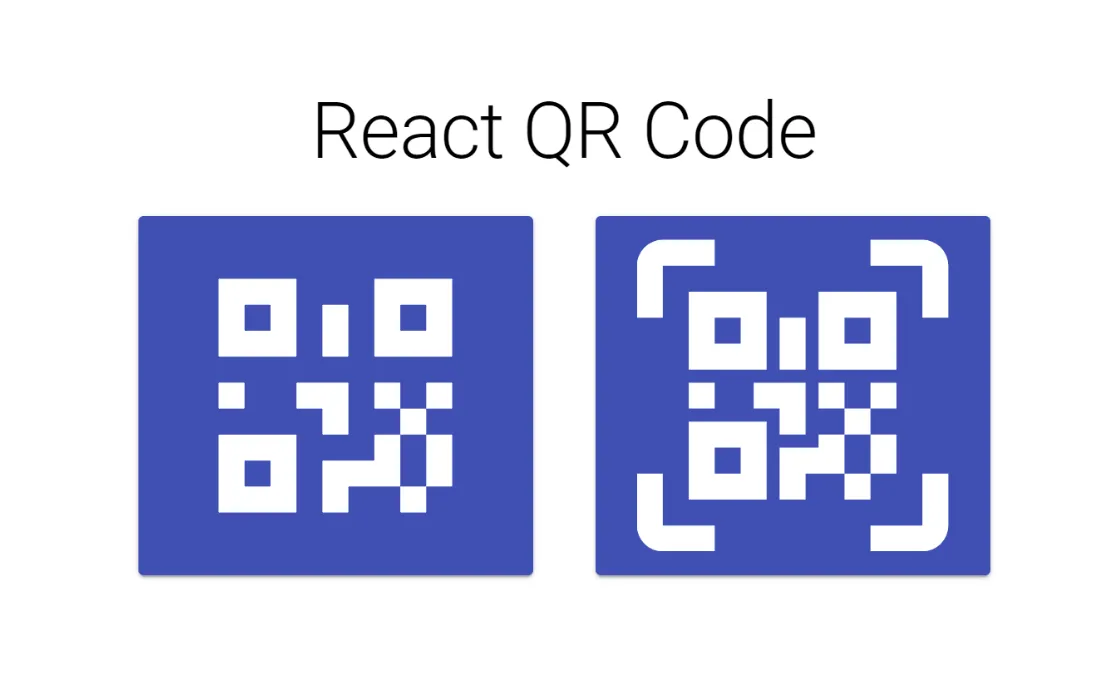
It’ll help you learn how to work with third-party libraries for QR code functionality — while implementing a clean, intuitive interface with proper routing between different app sections. This project also mimics e-commerce features like scanning product tags or linking to checkout pages.
Note: the react-qr-reader package’s latest release (3.0.0-beta-1, February 2022) lists React 16 and 17 as peer dependencies, so with a current React version look for a maintained QR scanner library instead.
Source code:
No source code is linked for this project. Build it yourself with the libraries listed below.
What you’ll build:
- QR code generator that converts text to QR images
- QR code scanner that reads codes using a device camera
- Clean navigation between app sections
- Responsive design with Material UI components
Prerequisites & tech stack:
- React fundamentals
- Material UI for components
- QR code libraries (qrcode.react and react-qr-reader)
7. Markdown previewer
- Level: Easy
The markdown previewer React project lets you build a real-time markdown editor and previewer. You’ll create a tool where users type markdown in one panel and instantly see the formatted result in another.
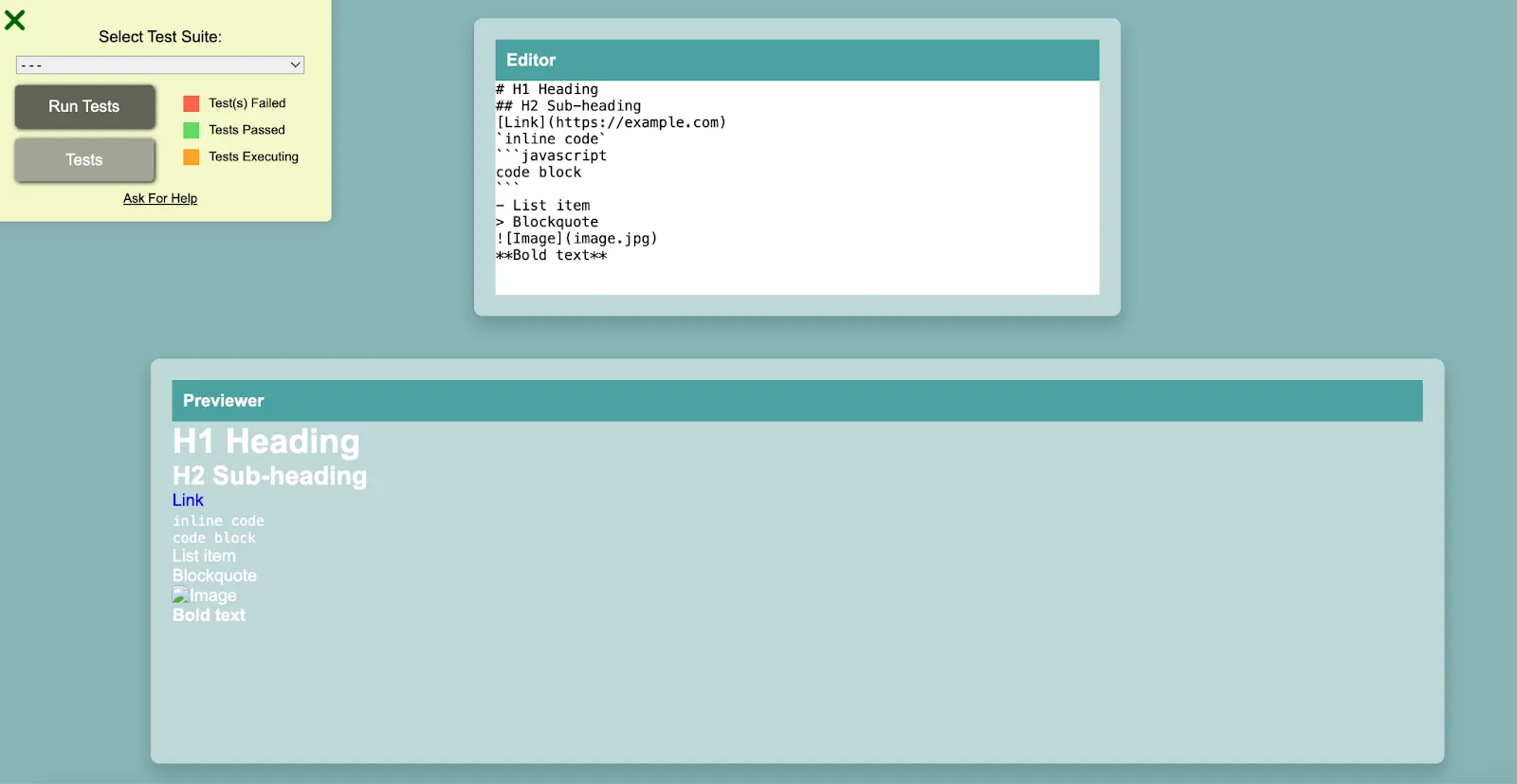
This lets you practice working with React state management and learn how to transform user input using a markdown library.
Source code:
Repo status: React 18 with Create React App, last commit January 2024 (see the note on older repos above).
What you’ll build:
- Split-panel interface with editor and preview areas
- Real-time markdown rendering
- Support for standard markdown formatting
- Redux state management
Prerequisites & tech stack:
- React and Redux (the repo uses Redux Toolkit)
- marked, a markdown parsing library
- CSS for styling the interface
8. Pokédex app
- Level: Medium
This multi-part project from Mimo helps you build a React app that fetches and displays Pokémon data from an external API.
You’ll create a comprehensive Pokédex app in three progressive stages: first, fetching basic data, then adding search functionality, and finally adding detailed views for individual Pokémon.
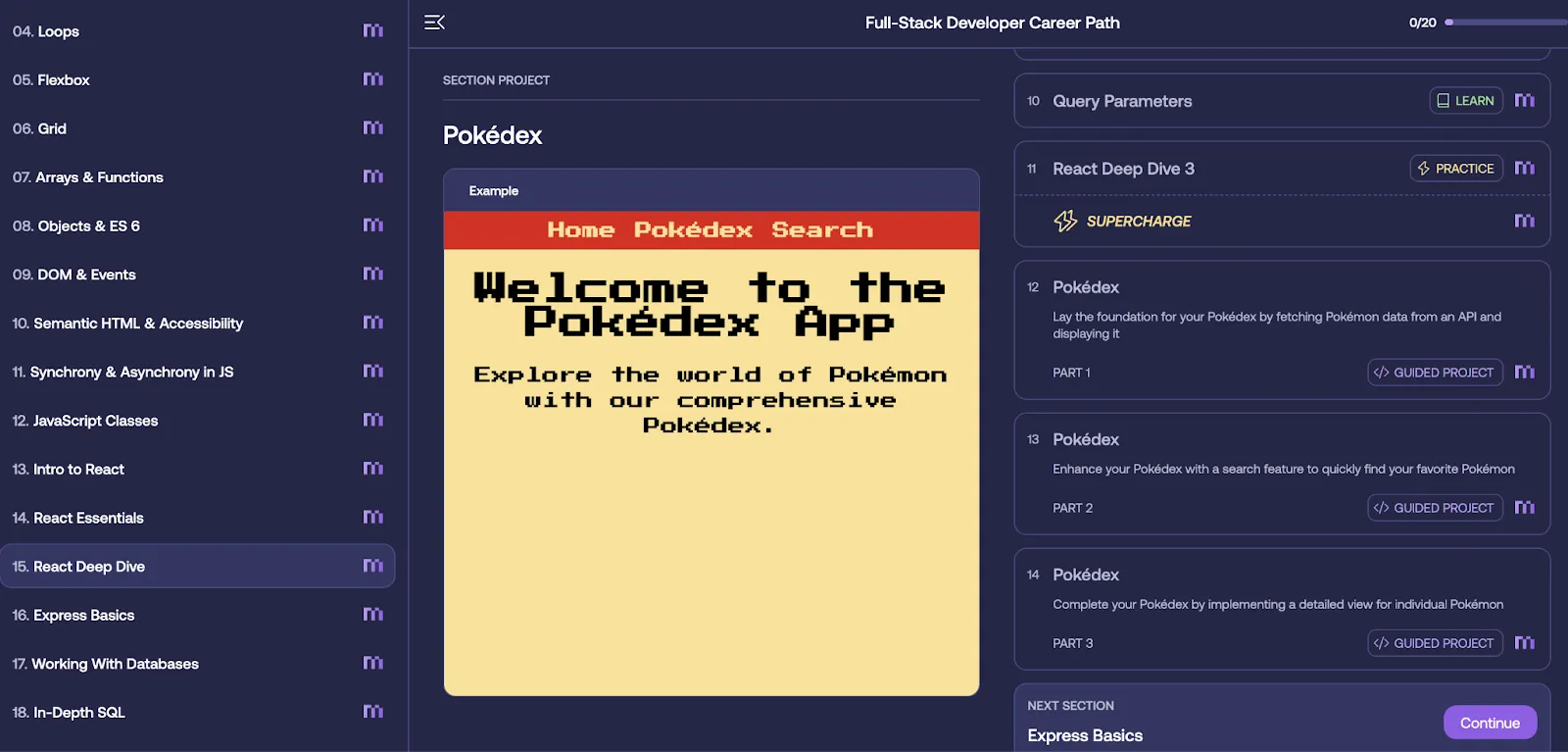
This React project works great for learning API integration with React. You’ll practice fetching data with axios and learn how to organize it efficiently.
It also helps you practice with managing state, handling user input, and structuring components as the app grows.
Source code:
This project is part of Mimo’s Full-Stack Career Path — available within Mimo’s platform.
What you’ll build:
- A data-driven application that pulls information from an external API
- Search functionality to find specific Pokémon
- Detailed view pages for individual Pokémon
- Navigation between different app sections
- Responsive design that works across devices
Prerequisites & tech stack:
- Access to Mimo’s platform (you can start for free)
- React fundamentals
- Beginner API integration knowledge
9. Habit streak rewards
- Level: Medium
This project idea is a gamified habit tracker that keeps users motivated with rewards. The app uses a spin-to-win reward wheel that activates when users reach streak milestones.
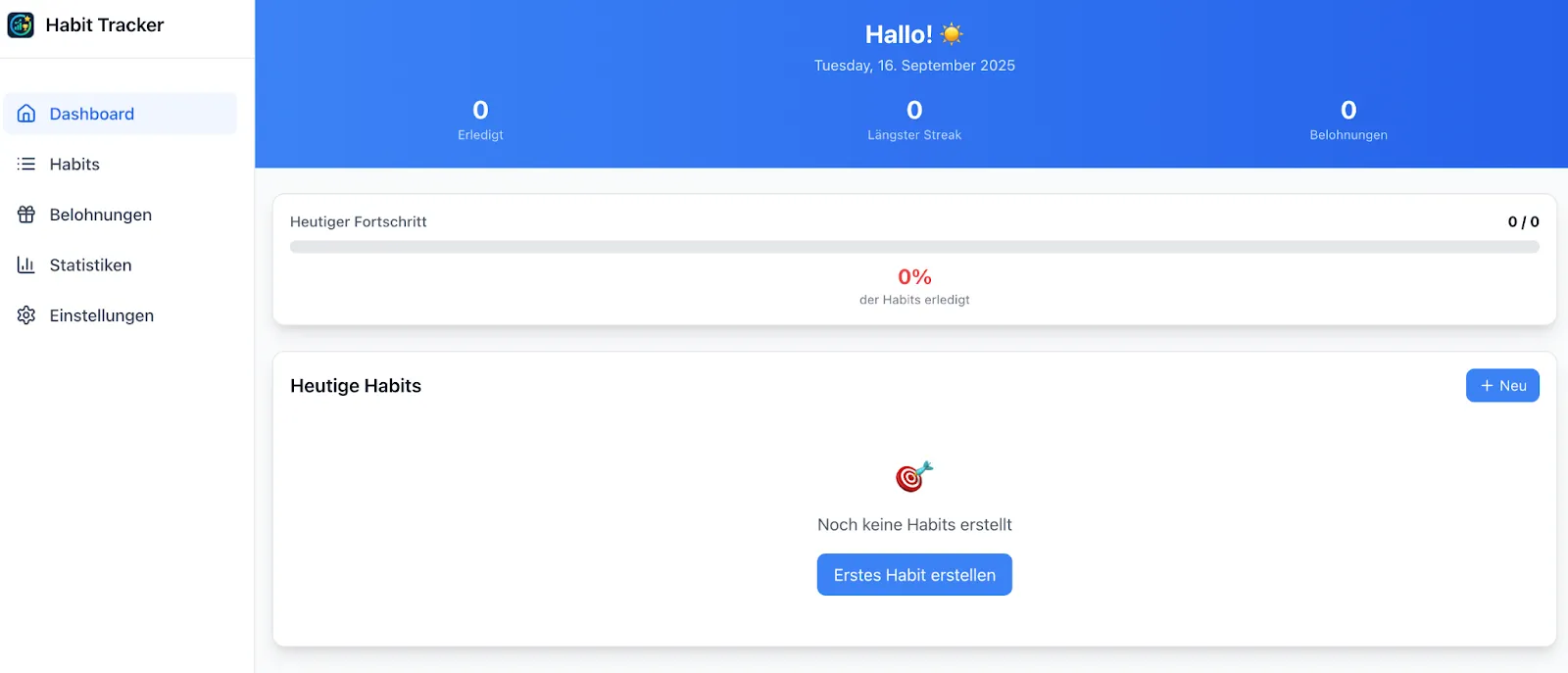
You’ll implement frequency-based streak tracking that works with daily, weekly, monthly, and yearly habits. The project covers data persistence, custom theme support, and offline functionality through Progressive Web App (PWA) techniques. To save progress online, integrate Firebase for authentication and cloud sync.
Source code:
The original source repository is unavailable (its GitHub link now returns a 404). Treat this one as a build-it-yourself idea and use the feature list below as your spec.
What you’ll build:
- A mobile-first PWA with offline capabilities
- Advanced streak tracking for various habit frequencies
- Gamified reward system with a spinning wheel
- Dark/light theme support
- Responsive design that works across all devices
Prerequisites & suggested tech stack:
- React with TypeScript
- Vite for fast development
- Tailwind CSS for styling
- IndexedDB for local data storage
- Service workers for offline functionality
10. Cross-platform calculator
- Level: Medium (hard setup, best after the easier projects)
The cross-platform calculator React project demonstrates how to build a calculator app that runs on multiple platforms (e.g., iOS, web browsers, etc.) from a single codebase.
You’ll learn how to structure React components to work across web, mobile, and desktop environments.
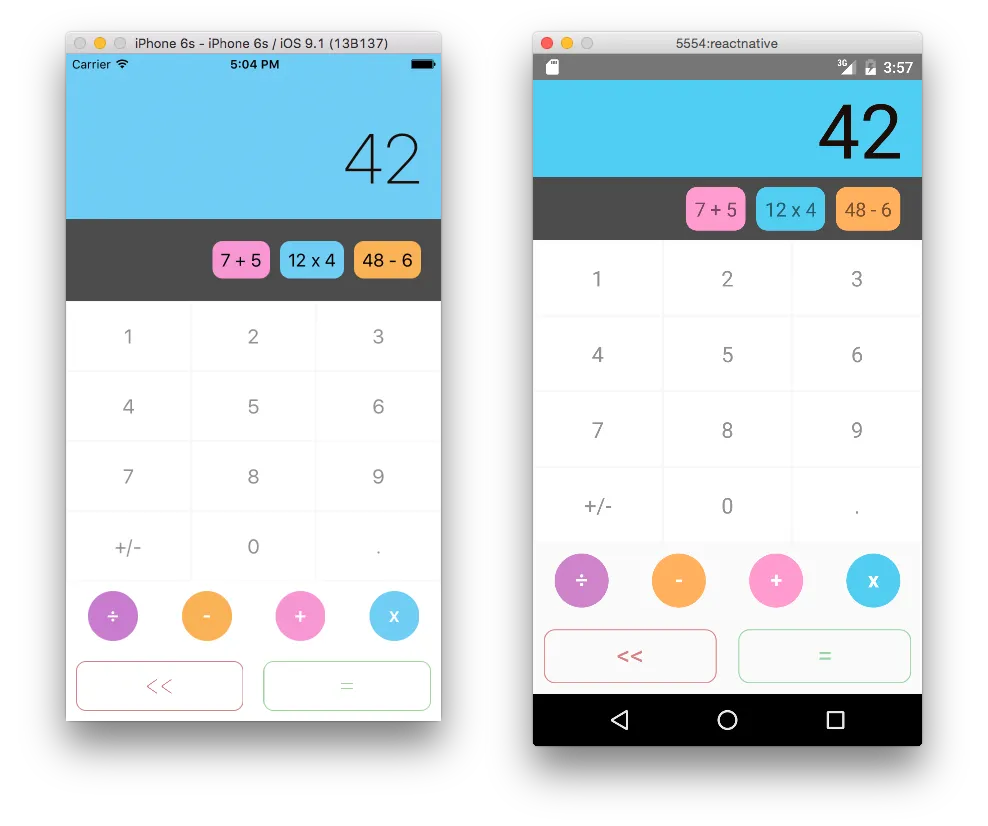
The app uses a shared Flux architecture with platform-specific UI rendering. It’s an architecture reference for sharing code across platforms, not a React starter for beginners. To see how React and React Native relate, read React vs React Native.
Source code:
Repo status: Built on React 0.14, React Native 0.21, and Webpack 1, last commit July 2020. Expect to need old versions of its tools to run it, so read it for the shared-code idea rather than as a modern starter.
What you’ll build:
- A fully functional calculator
- Components that adapt to different platforms
- Shared business logic across all platforms
- Platform-specific UI rendering
Prerequisites & tech stack:
- React and React Native
- Flux architecture
- ES6 JavaScript
- Webpack for building web/desktop versions
11. Kanban board
- Level: Medium
In this project, you will build an interactive task management system similar to tools like Trello or Jira. The Kanban board lets you organize tasks into columns, drag and drop them between different stages, and manage your workflow visually.
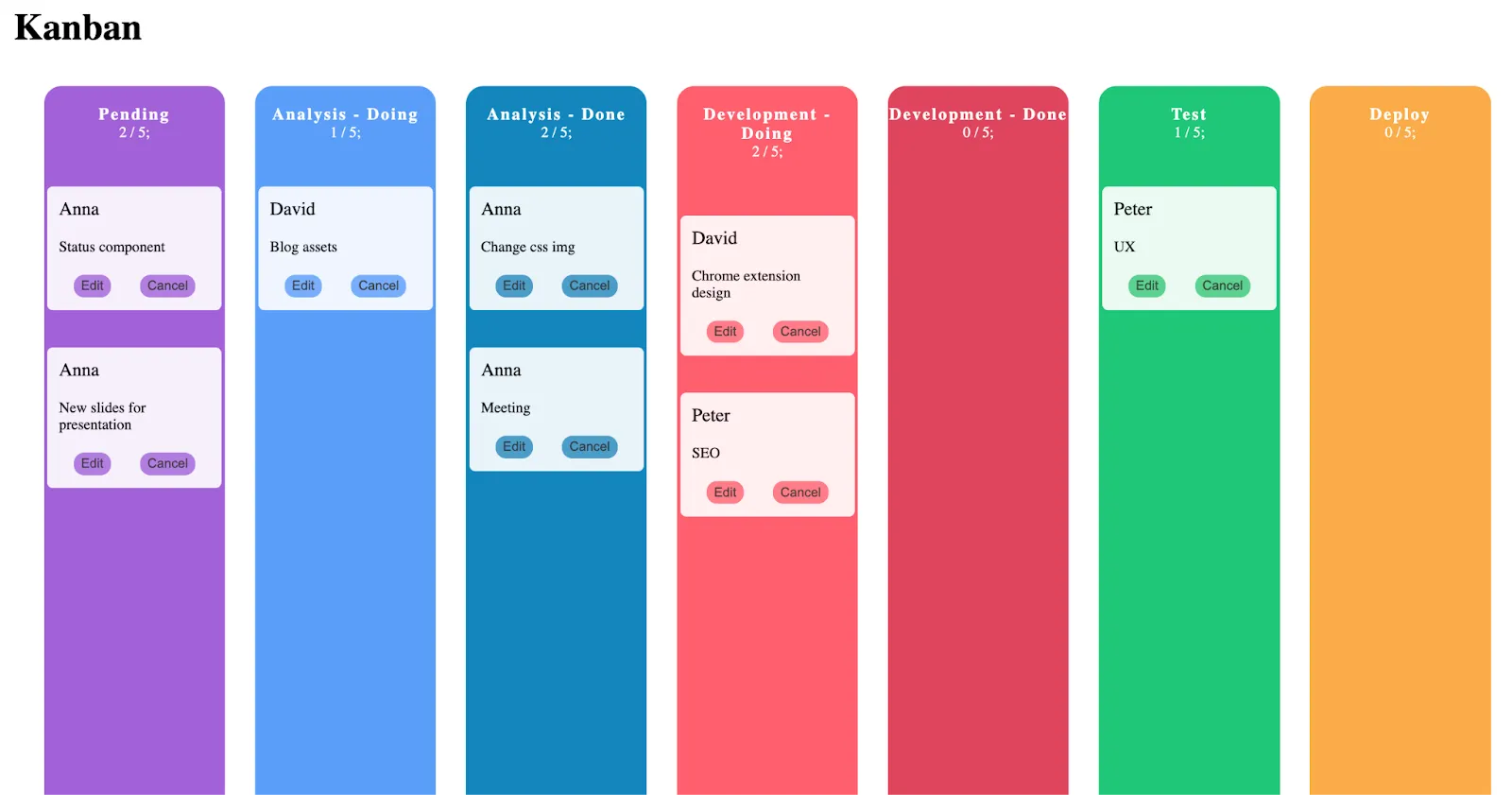
The drag-and-drop functionality teaches you how to handle advanced user interactions in React applications. You can connect it to a simple backend API for saving project data or team progress.
Source code:
Repo status: React 17 with Create React App and react-beautiful-dnd (a now-deprecated drag-and-drop library), last commit October 2021. For your own version, use a current React setup with the maintained community fork @hello-pangea/dnd (supports React 18 and 19) or dnd kit.
What you’ll build:
- Interactive Kanban board with multiple columns
- Drag-and-drop task management
- Task creation and editing system
- Column task limits
- Local storage data persistence
Prerequisites & tech stack:
- React and React Hooks
- react-beautiful-dnd (deprecated)
- CSS for styling
- UUID for unique identifiers
12. Rail journey tracker
- Level: Medium-Hard
The rail journey tracker React project lets you build a web app for tracking train journeys across Europe. Using real transport data from the Swiss public transport API, you’ll create a personal dashboard where users can log and visualize their travel history.
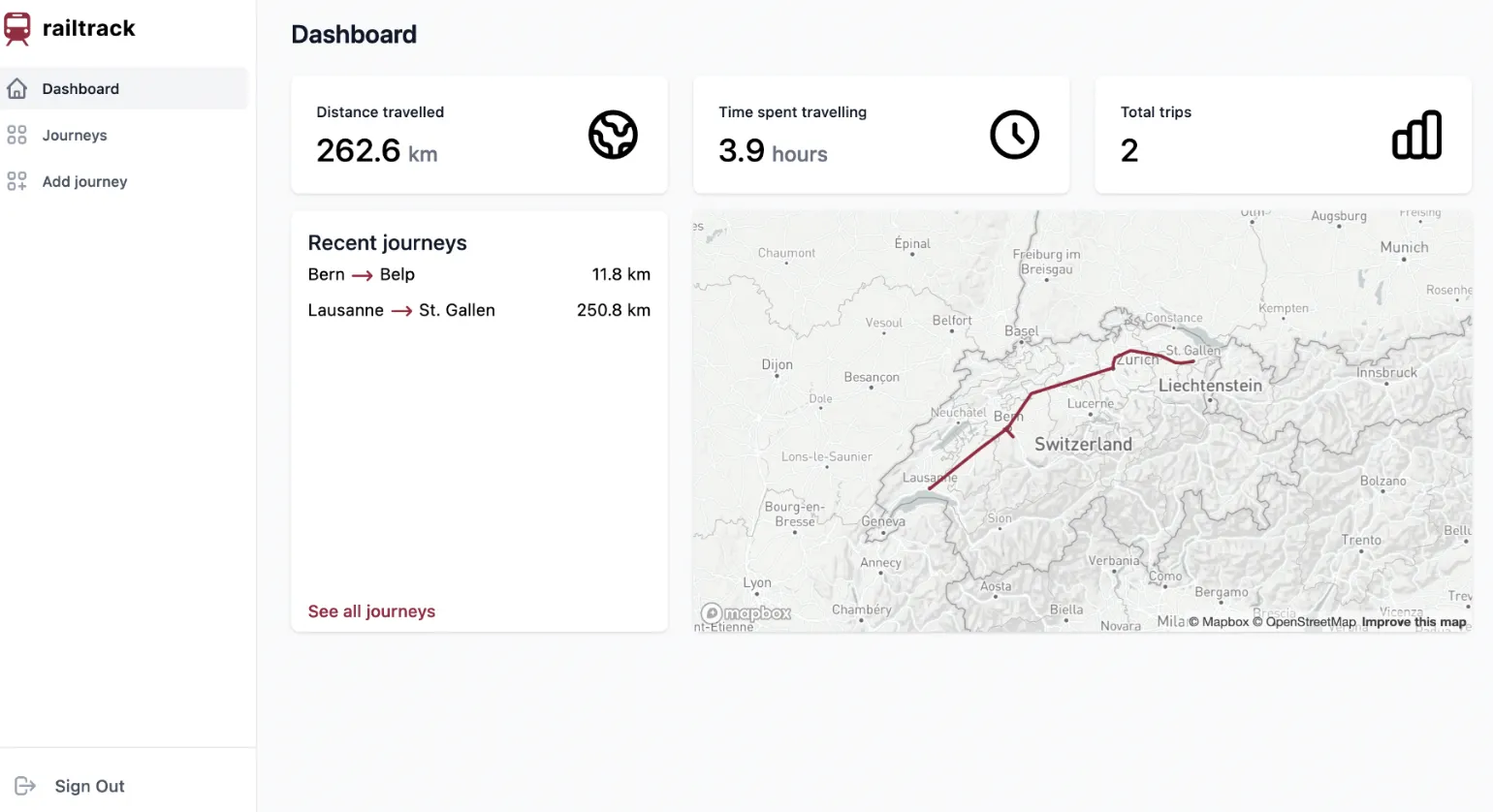
You’ll also implement map integration, journey tracking, and statistical analysis of travel patterns in a full-stack application. You can take it further by adding weather or social media sharing features.
Source code:
Repo status: Next.js 14, last commit March 2025. To run it, you need your own Supabase project and Mapbox token (per the README), so it isn’t a beginner project in practice.
What you’ll build:
- Journey logging system with date, route, and distance tracking
- Interactive maps showing travel routes
- Statistics dashboard with travel metrics
- User authentication system
- Responsive design for mobile and desktop
Prerequisites & tech stack:
- Next.js and React
- Fetching data from an API (see how to fetch data in React)
- tRPC for API communication
- Prisma with Supabase for the database
- Mapbox for maps
- Tailwind CSS for styling
How to find the best React projects
Finding projects that keep you motivated is the most effective way to learn React. Look for ideas that solve real problems you care about or things you’d actually use:
- Personal needs — tools or apps you wish existed (e.g., a personalized meeting scheduler)
- Apps that could help your friends or family
- A side hustle or a business idea
- Learning platforms for coders like Mimo
- Online coding challenges on platforms like HackerRank
- Popular apps you could rebuild with your own twist
- GitHub projects from other coders (check when the repo was last updated)
- YouTube video tutorials like this video by Clever Programmer
Start with simple projects like the to-do list to learn the basics, then progress to more complex apps that use APIs and advanced features. For a realistic timeline, see how long it takes to learn React, and browse these free resources to learn React. Finished projects also give you concrete examples to talk about when you prepare for React interview questions.
For the best results, combine hands-on projects with structured learning, like Mimo’s Front-End Development course, where you’ll get guidance, feedback, and a clear path to follow. Start learning for free today.